| Gemma Bonham-Carter |
AI + online marketing / thursdays |
|
It’s been a full week over here, in the best way.
On Tuesday I taught a live AI workshop with Kate Hayes for her community (we had over 1000 people sign up!), and now I’m deep in prep for a keynote I’m giving in Miami next week.
The Miami thing is pretty full circle, actually. It’s a conference full of photo booth business owners. The woman hosting the event, who asked me to speak, bought one of my programs, Course Creator School, back in its very early days and went on to build a really successful course business from it. And now she’s the one inviting me onto her stage.
It’s such a cool reminder of the ripple effect our businesses have, because you never really know where your audience or clients are headed. I’ll share more of the story when I’m back. Wish me luck!
Okay, onto this week’s issue.
|
| |
| In this email |
| [ 01 ] |
OpenAI launched Dots, its answer to Meta’s Muse and Grok Bot, and why these “cute” always-on agents give me the ick |
| [ 02 ] |
Zapier rebuilt Zaps so you can describe an automation in ChatGPT or Claude and deploy it |
| [ 03 ] |
Build your Black Friday warm list before you build the offer |
| [ 04 ] |
I’m teaching at Megan Sumrell’s Plan-a-Palooza on October 22 and 23, so you can map out 2027 (and your brand book) before Black Friday |
|
| 🔥 The big one |
01 |
Dots and Muse Agents Look Like Stuffed Animals… and Want Access to Everything (it’s giving ick)
|
|
|
If you’ve seen the word “Dots” all over your feed this week, it’s OpenAI’s new always-on AI agent, launched at DevDay on September 29 as their answer to Meta’s Muse and Grok Bot from Elon Musk’s xAI.
All 3 are the same idea with different branding. Normally you open an AI, ask it something, and close it. These agents keep working for you in the background after you’ve shut your laptop. Each one gets its own cloud computer, connects to the apps and accounts you already use, and takes action across them. Dots connects to over 4,000 apps, and you can message it from ChatGPT, Slack, or Teams. Muse lives on the web, in its own app, and inside WhatsApp, and Meta is pitching it to everyday consumers. Grok Bot signs into your tools and uses them the way a person would, even sites that don’t have a proper integration.
As for access, Dots is limited to ChatGPT Pro and Business Premium for now and Grok Bot sits on xAI’s priciest tiers, but Muse has a free plan, so that’s the one most people will be able to try first.
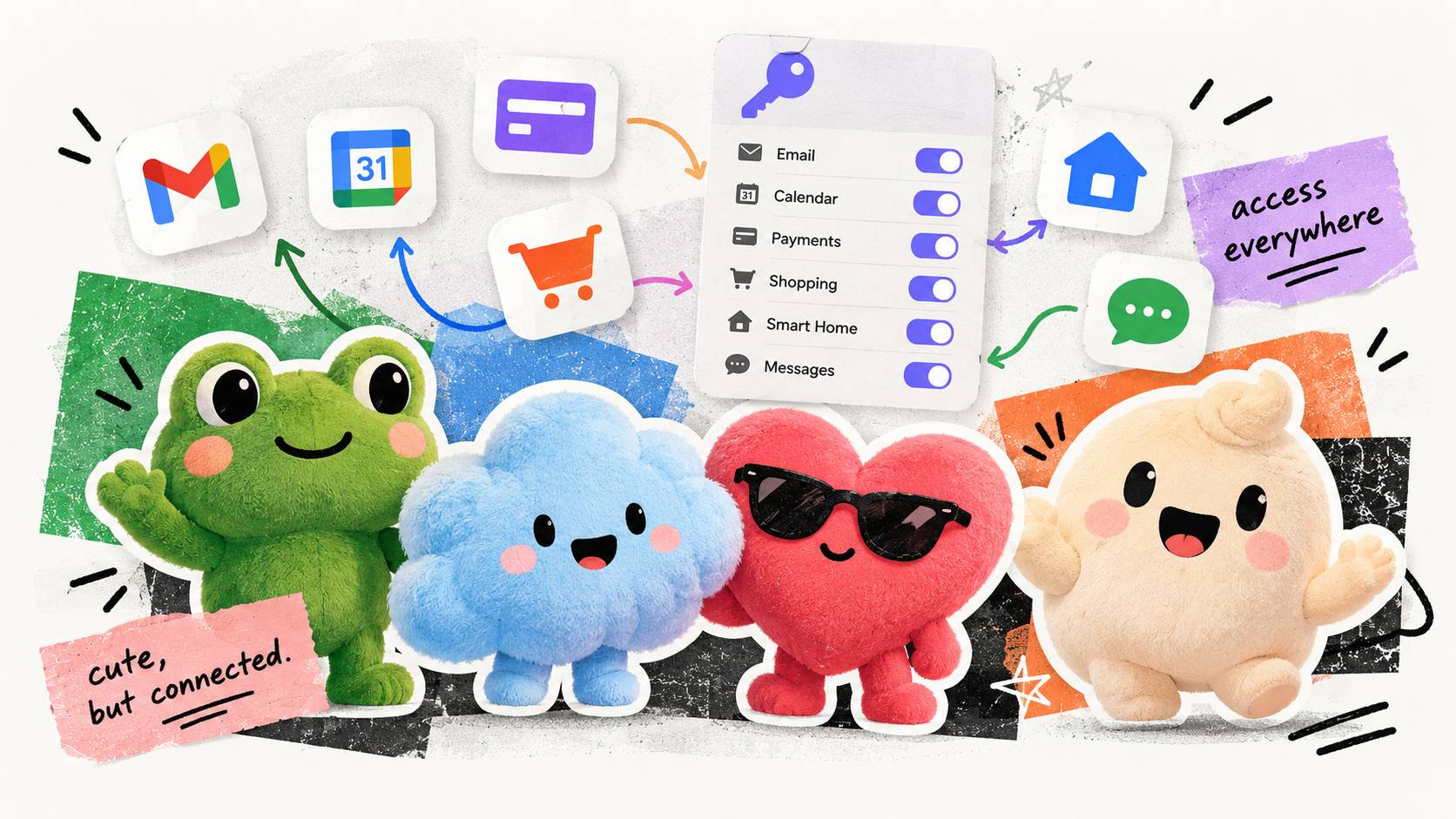
I’ll be upfront that this whole category makes me feel iffy, and the reason is how much these agents ask for. The pitch is all about handing over your personal life: book the trip, buy the thing, do the online shopping, sort out the bills. Muse can send emails, book travel, lower your bills, and make purchases with your saved payment method, and Meta invites you to connect your email, calendar, payment methods, health and fitness apps, and smart home devices. To do any of that, it needs the keys.
I’ve never been comfortable giving any tool access to my financial information or my personal inbox. An AI agent that keeps working while I’m asleep doesn’t make me more comfortable with that. It makes me less comfortable. That doesn’t mean nobody should use these, but it does mean the decision is yours, and it deserves more thought than tapping “connect” on every app the setup screen offers you.
So before you sign up for any of them, decide where your line is. What would you let it read, and what would you let it do without checking with you first? Would you give it your credit card, or your inbox with years of client conversations and family emails in it? There’s no universally right answer here, but there is a wrong way to land on one, which is by default because onboarding made it easy.
The part that gives me the ick is how cute they’ve made it all. Dots come as a crew of colorful little characters, including a smiling frog named Todd, a puffy blue cloud named Felipe, and a heart in sunglasses named Jojo, and Meta’s Muse has a cheerful mascot called Jolly. They look like something from a kids’ cartoon or the stuffed animal aisle, and that isn’t an accident. As one tech writer pointed out, it’s a lot easier to ask people to trust an agent with their whole life when it looks like a friendly little guy.
Underneath the sweet face is a system plugged into your email, your calendar, your payments, and your accounts, running on a computer you’ll never see. “Surveillance” might sound dramatic, but this is another step toward a single company being connected to everything you do online, and wrapping that in a plush frog doesn’t make it any less of a big deal. If anything, it makes me trust it less, because the cuteness seems designed to stop you from asking questions.
Meta says your Muse conversations won’t be used for ads, and OpenAI keeps dots read-only while they work in the background. Those promises matter, and you get to decide how much weight to give them. My take is to stay curious but be deliberate about it. Start with what you’d be comfortable letting a human contractor see, and don’t give the cute frog any more than that.
|
|
|
| |
| 📌 Hot take |
02 |
Zapier Rebuilt Zaps So You Can Just Describe What You Want
|
|
|
We’re always talking about big news updates from OpenAI, Anthropic, or Meta. This week? It came from Zapier.
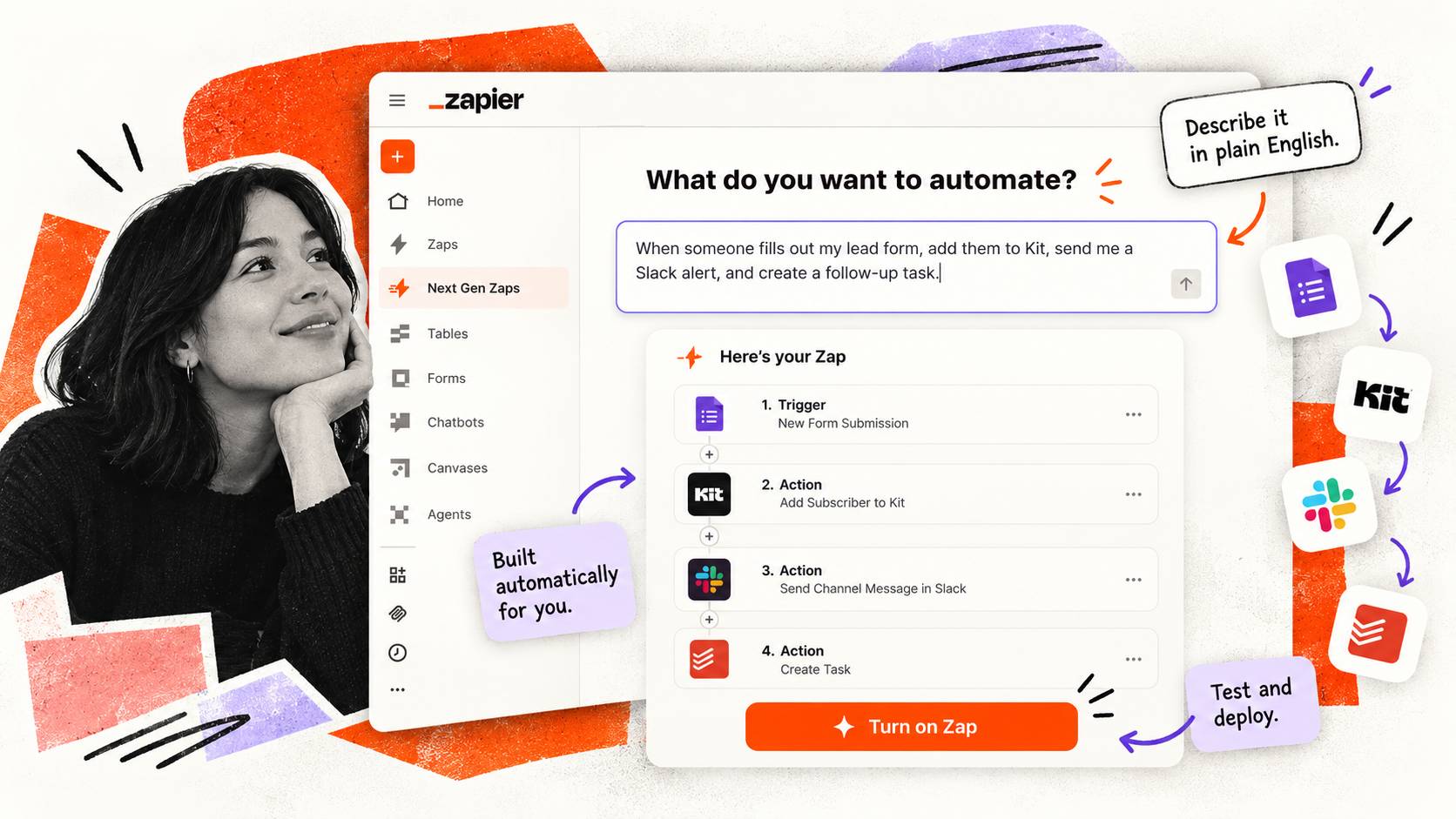
On September 23, Zapier announced the next generation of zaps. You describe the automation you want in plain English inside Claude or ChatGPT, and it builds it, tests it, and deploys it to your Zapier account.
If you’ve ever built a workflow, you’ll know how huge this is.
I’ve lost maaaany afternoons to that Zapier dropdown menu or trying to build complicated workflows in Make.com.
The idea that I can just say what I want and then it gets built is pretty much heaven.
There’s also now a monitoring agent that now watches your zaps, works out why something broke, and either fixes it or tells you how.
It’s in early access on paid plans, and you can request it at zapier.com/workflow/early-access. Bonus: while it’s in early access, it doesn’t eat into your task count. One caution: Zapier itself says not to run your most sensitive workflows through it yet, so start with something low stakes.
Got an automation you’ve been putting off for six months? Describe it in one sentence this week and see what comes back.
|
|
|
| |
| 🎨 Try this |
03 |
Build Your Black Friday List of Warm Leads Ready to Buy
|
|
|
Most of us plan Black Friday in the same order every year. Pick the offer, write the emails, then the week before, send the whole thing to everybody.
Try it backwards this time.
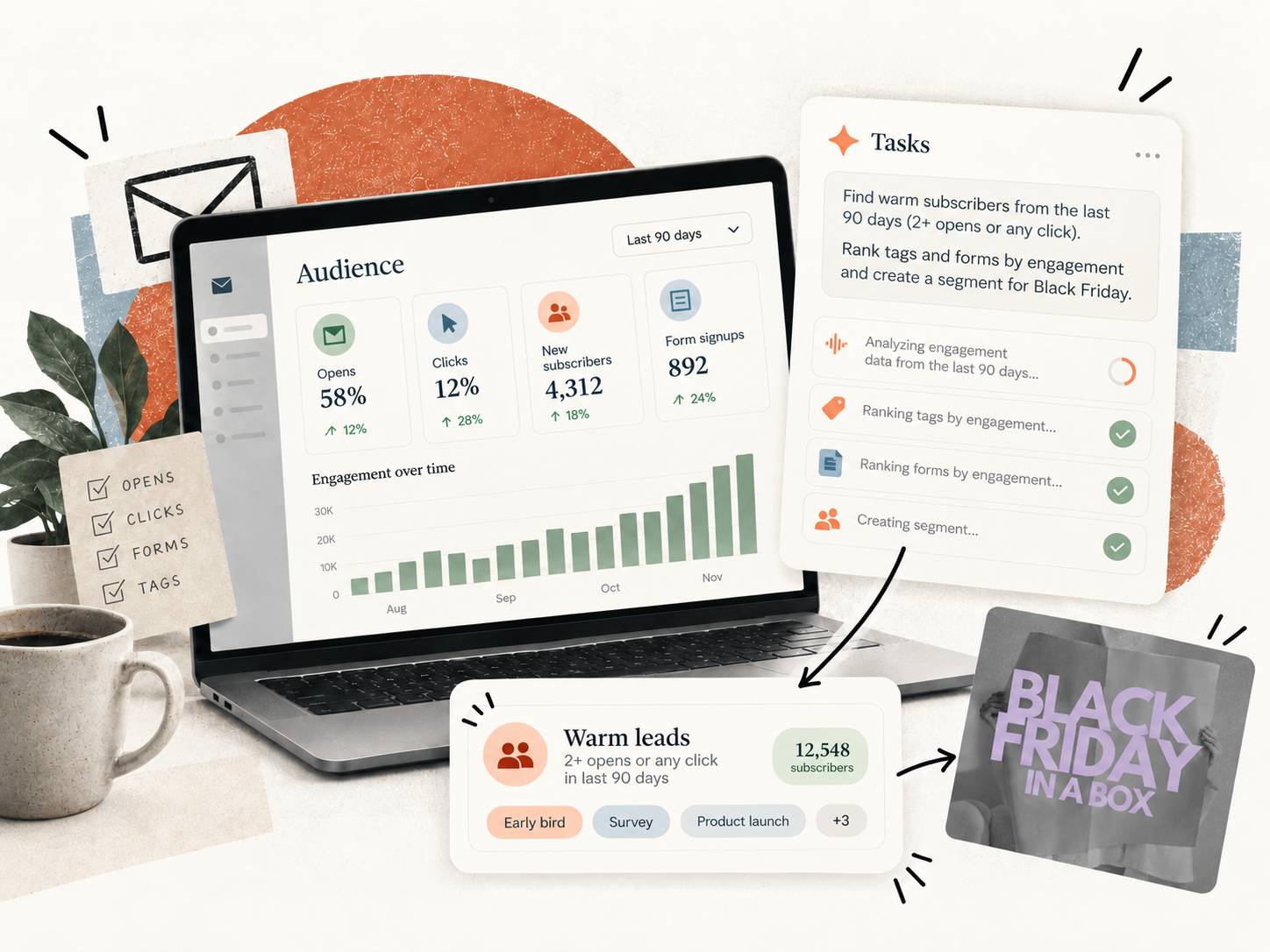
Your list has already told you who’s going to buy. Somewhere in your email platform is a group of people who have been quietly opening and clicking their way through the last 3 months. They’re the ones paying attention. And they’re who you could either survey ahead of time to see what you should put on sale during Black Friday, or it could be a segment you send an early bird offer to.
The reason almost nobody does this is that it used to mean exporting a CSV, building a spreadsheet, and doing a bunch of digging.
But now?
Most email platforms have an MCP (an MCP is just a connector that lets Claude or ChatGPT read your account), which means you can hook up your AI tool and get it to do this work for you.
|
| Step 1 |
Connect your email platform to Claude or ChatGPT. We use Kit, which has a great MCP connector for this. |
| Step 2 |
Paste the prompt below and let it work. |
|
| Copy this prompt |
| You’re my audience analyst. Using my [email platform] account, look at the last 90 days and find my real warm subscribers: the people who opened or clicked more than once. Rank the tags and forms they came from by engagement rate instead of size, so I can see which freebies bring in people who stick around. Show me how big a warm segment would be if I set the bar at 2 opens, 3 opens, or any click in 90 days, so I can pick a cutoff that isn’t tiny or meaningless. Tell me which of my existing segments overlap with that warm group and which don’t. Flag anything odd, like a tag with great engagement and almost nobody in it. Don’t create or change anything in my account, just tell me what you found and what segment you’d build. I’m going to use this segment to [survey to find out what they want for my black friday sale or target an earlybird black friday offer to]. |
|
| Step 3 |
Read the gap between who you assumed was warm and who actually is (it’s pretty interesting!). |
| Step 4 |
Build the segment before you close the tab. |
|
|
You don’t have to create your whole Black Friday campaign today. But you’re making sure that when you do, it lands in front of the people most likely to say yes.
This is like ninja level marketing that AI has made SO much easier.
(If you want my full Black Friday strategy, doors are open on the 2026 edition of Black Friday in a Box right now.)
Do this in October and you’ll be sitting pretty for a huge November. 🤌
|
|
|
| |
| 📅 Plan ahead |
04 |
Plan Your Whole 2027 Before Black Friday Hits, Live With Megan Sumrell (and Me) at Plan-a-Palooza
|

|
|
Most online business owners end up planning their year on December 28, fried from their Black Friday sale and only half paying attention while the house is full of people. My friend Megan Sumrell runs her annual planning workshop in October so you get to skip that whole scene, and it’s the one time a year she teaches her full method live.
It’s called Plan-a-Palooza. Over 2 days on Zoom you build your 2027 plan right alongside her, starting from everything you’re already carrying instead of a goal you’re supposed to squeeze your life around. You walk away with an Annual One-Pager, a Year at a Glance, and a 100+ page workbook, so you go into Black Friday with next year already decided.
I’m one of the sponsors this year, and I’m teaching a session on your brand book, the 1 document that tells your AI tools, your team, and anyone writing for you exactly who you are and how you sound. It’s a natural pairing with a planning workshop, because a 2027 plan gets a lot easier to execute when everything you hand off already sounds like you.
It runs 10 am to 3 pm ET both days, cameras off. Tickets are $149, and every session goes into a replay portal through November 23, so you’re covered if you’re mid-promo or a client call lands on one of those days.
|
|
|
| (FYI: I’m a sponsor and that’s my affiliate link!) |
| |
|
That’s a wrap. If you do one thing this week, decide where your line is before any always-on agent asks for the keys. What it can read, what it can do without asking you first, and what it never touches. Trust me on this one.
Hit reply and tell me where you landed. I read every one.

|
See you next Thursday
Gemma.
|
|
| P.S. |
| Love this newsletter? There’s a whole lot more AI training where this came from. AI All Stars is where I teach the full system, and you get my complete set of custom-built skills (there are over 38 of them). Start with the free AI workshop and get a behind the scenes look. |
|
|
|
|