|
Welcome to Noted.
I’m starting something new here. (and after you’ve read it, I’d love to know what you think! hit that reply button!)
Usually in my emails to you, I share 1 thing. One story, one lesson, one main thing. It’s a bit of a “rule” in email marketing that an email should have one idea and one CTA.
BUT… I’m testing something in AI or marketing basically every week, and most of it never makes it to you because there’s never enough room in a normal email. So Noted is where that stuff goes now. The things I tried, whether they worked, the setup so you can go do it yourself, and whatever’s happening in the AI and marketing world that I think you genuinely need to know.
Not a full news roundup, because there are already 40 of those and I have no interest in being number 41. Just the handful of things that might just change something about how you work.
I’m planning to send one every Thursday.
Cool?
Let’s get into it.
|
| |
| In this email |
| [ 01 ] |
Rebuild your dead lead magnet as an interactive quiz |
| [ 02 ] |
Record yourself once, and Claude writes the SOP |
| [ 03 ] |
Your rough content is beating your polished content |
| [ 04 ] |
A Claude pricing change that might affect your plan |
|
| 🧲 The main one |
01 |
Your PDF Freebie Isn’t Dead. It’s in the Wrong Format.
|

|
|
I rebuilt one of my own freebies from a PDF into an interactive quiz assessment last week and it took 1 prompt and a screenshot. The lead magnet turned into an actual working quiz I could publish that afternoon.
Here’s why it’s worth doing: A PDF makes the reader do the work. They have to open the PDF, read through it, figure out which parts apply to them, and then do something with it. It’s why most of us download things and never come back to them. A quiz or assessment though? It does the work for them, is kinda fun to go through (who doesn’t love a quiz?), and hands back a custom answer about them.
A nutrition coach could give away “10 Reasons You’re Tired All the Time” PDF. But that’s so boring, right? I’m not inspired to sign up for it, or read through it.
Or she could give away a 3 minute quiz that, once you’ve taken it, says your energy score is 42, you’re in the Blood Sugar Rollercoaster category, and gives you the 3 things to change first. Same expertise, but completely different experience for the audience. Muuuch more interesting.
So if you already have a PDF you’ve shared as lead magnets before (client or course content works too), use it to build a quiz lead magnet today. Here’s how:
|
| Step 1 |
Pick a freebie you have. Ideally one that already has questions in it. A checklist, an audit, a readiness worksheet, an intake form. Anything with a list of yes-or-no items is halfway there. |
| Step 2 |
Screenshot a design you like. This is the step everyone skips and it’s the entire difference between something that looks like a 2013 web form and something that looks like your brand. |
| Step 3 |
Upload both, then paste this in. |
|
| The prompt · copy this
|
I want to turn an existing lead magnet into an interactive assessment I can put on my website.
Attached: my PDF lead magnet, and a screenshot of a design I like.
Build the assessment from the questions and scoring already in the PDF. Do not invent new questions unless something is genuinely missing, and tell me if you add any.
Keep it under 10 questions. At the end, give them a score, a category, and 3 specific next steps based on how they answered. Match the fonts, color palette, and layout feel of the screenshot. Make it work on mobile. Write the copy in my voice, here are 3 sentences I actually wrote: [paste them]
Build it as a single self-contained HTML file so I can publish it or host it myself.
Before you build anything, tell me your plan and flag anything in the PDF that won’t translate into a quiz. Wait for me to say build. |
|
|
That last line does more work than the rest of the prompt put together. Without it, you get a finished thing built on assumptions you never agreed to, and now you’re editing instead of directing.
And don’t forget to capture their email before the results screen, not after. Someone who’s just answered 8 questions is invested, and that’s the moment they’ll hand it over to see their score or result.
I wrote the full version on the blog, including the part almost nobody explains: how you actually publish the thing.
|
|
|
| |
| 🎥 Try this |
02 |
Record Yourself Once, and Claude Writes the SOP
|
|
|
This is my favorite thing Claude has shipped all year and almost nobody I’ve talked to has tried it yet.
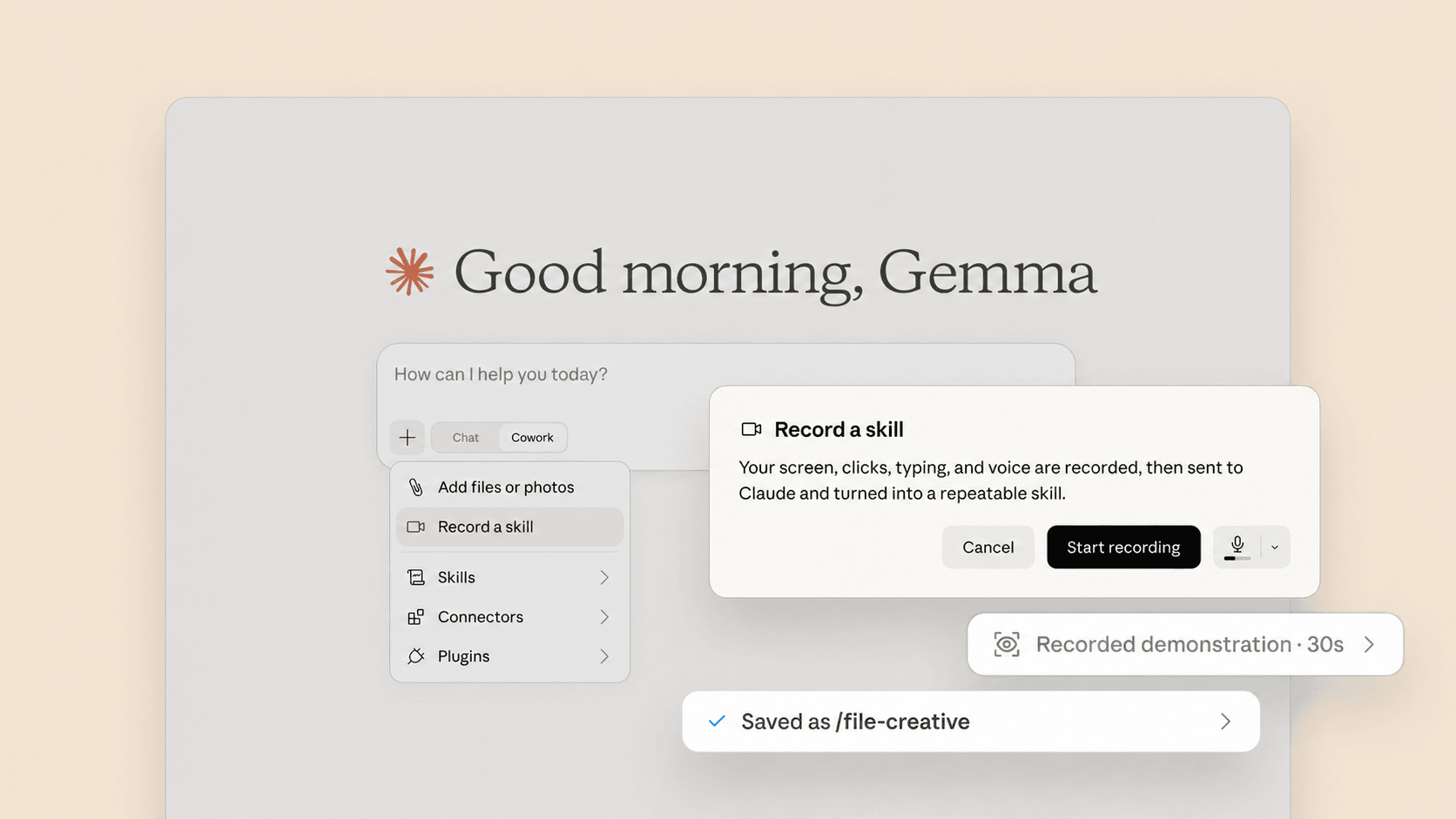
You can now record your screen while you do a task, talk through it as you go, and Claude turns the whole thing into a reusable skill. No writing instructions. No SOP template. You just do the job once, out loud, and it writes itself.
Think about what that actually solves. Most of us have 6 or 7 processes living entirely in our own heads, and the reason they never got documented is that writing an SOP is miserable. You have to remember every step, put it in order, screenshot the fiddly bits, and then keep it updated every time the process changes. Who’s doing that on a Tuesday? Nobody. So this skips the writing part completely.
Mac only for now. It lives in Cowork in Claude for Mac, on Pro, Max and Team plans. Not in chat, not on Windows, not on Free. Recordings run about 10 minutes, which is plenty for one process. And close anything you don’t want on camera, because everything on your screen gets captured for the whole session.
Here’s how:
|
| Step 1 |
Open Cowork, hit the + menu and choose Record a skill. Leave the microphone on so it captures what you say, not just what you click. |
| Step 2 |
Do the task on screen and narrate as you go. Talk through the decisions, not just the clicks. Say why you’re picking this option, and what you’d do differently if the file looked wrong. The reasoning is what turns a recording into an actual skill instead of a video of you clicking things. |
| Step 3 |
Test it on a different example before you trust it. A recording shows what happened once, and you want to know it learned the rule rather than memorizing that one client’s name. |
|
|
The thing I’d record first? Whatever you’re currently explaining to a contractor over Loom for the third time. You get the SOP and the team member who runs it, out of that same 10 minutes.
|
|
|
| |
| 👀 Honest take |
03 |
Your Rough Content Is Beating Your Polished Content
|
|
|
An AI detection company called Pangram scanned long-form LinkedIn posts and found 40% of them were entirely AI-generated. It’s comfortably the most AI-saturated place on the internet right now.
The post with the perfect hook, the 3 neat bullets, and the tidy one-line closer is now the format people instinctively read as machine-written.
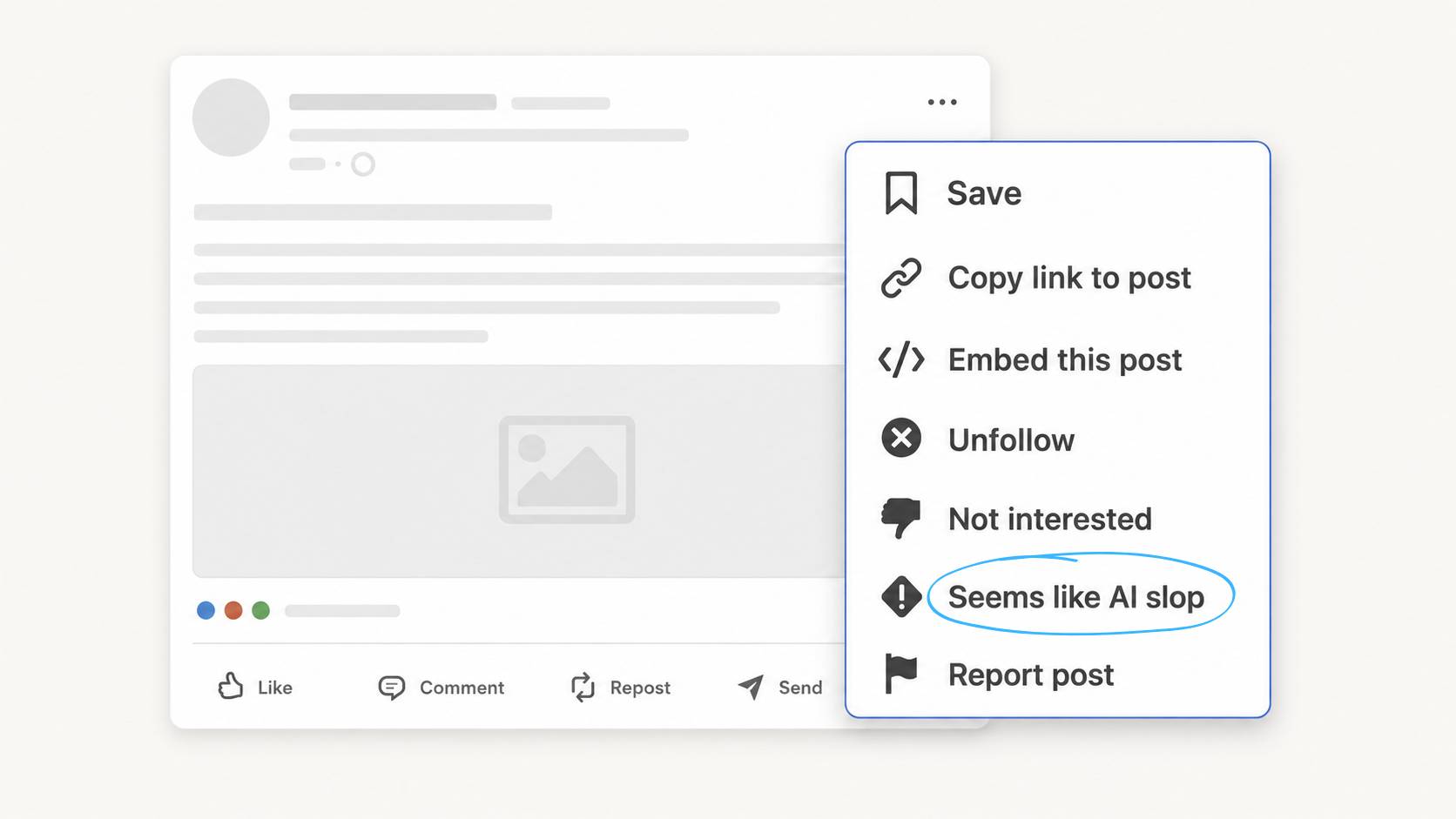
LinkedIn has started acting on it too. They added a signal to reduce AI slop in suggested content from outside your network, so this isn’t a reach penalty on your own posts. They also quietly retired their AI writing assistant and replaced it with a proofreader.
Now here’s my take, and it’s probably not the one you’d expect from the person who sells an AI program. AI slop was never an AI problem. Slop is what happens when somebody has nothing to say and publishes anyway, and that existed long before ChatGPT. We just called it a bad post.
You can make something with AI that’s completely, obviously yours. Your story, your numbers, your weird way of saying things. Nobody will ever call that slop. The tool didn’t make it generic. The input did.
So the takeaway is permission. The kinda rough 2-slide carousel? The caption that sounds exactly the way you talk (not a polished hook)? The reel shot in 1 take with a kid yelling in the background? Those read as human, and human is the part that’s getting scarce.
Post the messier one.
|
|
|
| |
| 💸 Worth knowing |
04 |
A Claude Pricing Change That Might Affect Your Plan
|
|
|
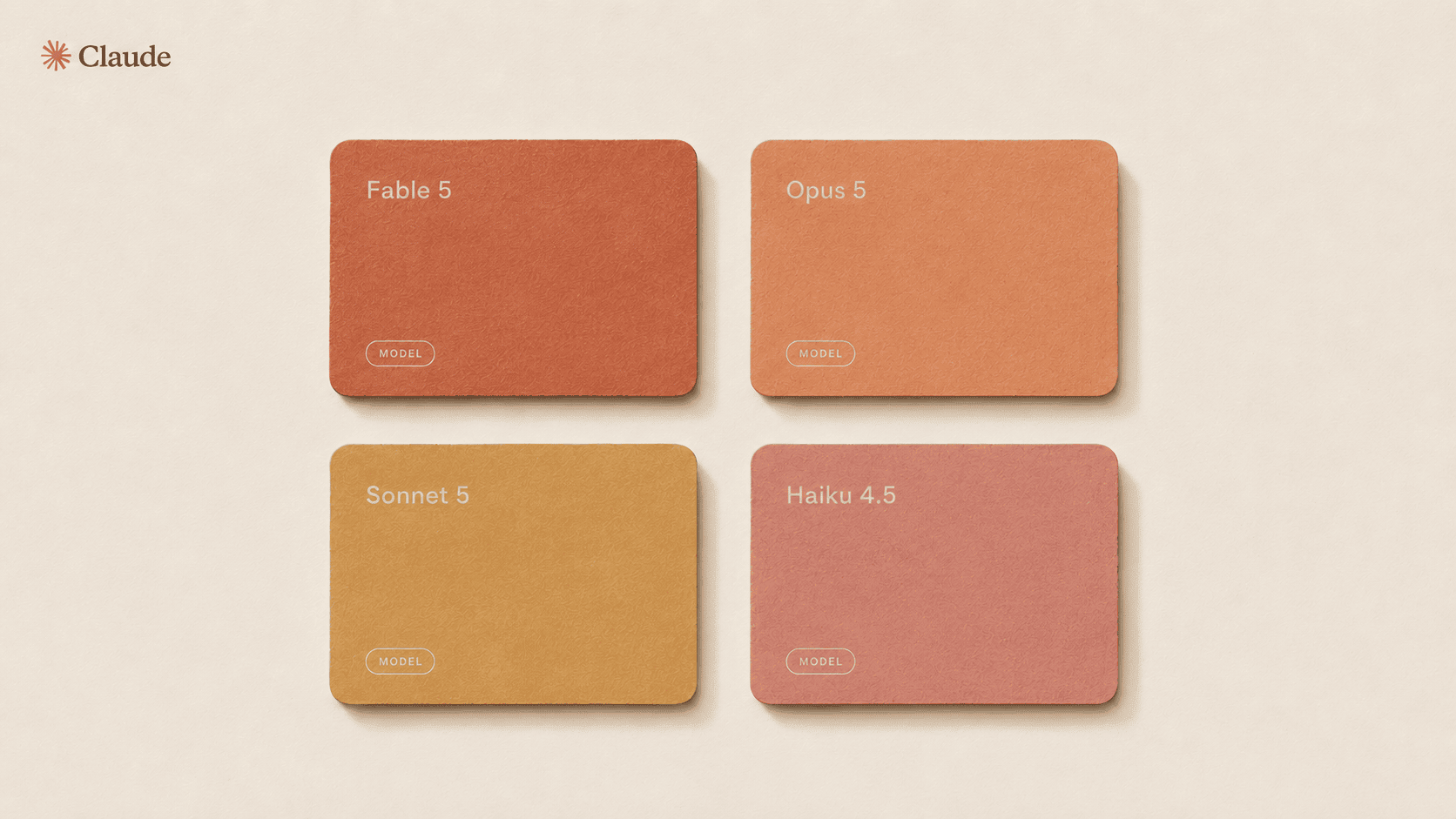
Quick one to finish on. Anthropic released Opus 5 at the same price as the model it replaced, with a bigger context window and performance close to their most expensive option. Translation: the good model just got cheaper to reach.
The part actually worth checking is Fable, their frontier model. It stays included on Max and Team Premium, but Pro and Team Standard moved to usage credits priced at API rates. So if you’re on Pro, the thing you thought was bundled into your plan might now be metered. One small mercy: eligible Pro and Team standard seats got a one time credit to help with the change.
Go read the actual rules for your plan, and don’t take my word for it, because these have shifted 3 times in 2 months and they’ll probably shift again. Then match the model to the job. Sending every single task to the biggest model is becoming an expensive habit.
|
|
|
| |
|
If you take anything from this issue, make it the first one. Open your Drive, find the freebie you created months (years?) ago, and rebuild it this afternoon as an interactive quiz or assessment, using the prompt I shared. It’ll become your hottest new opt-in.
Now, tell me. What did you think of Noted Issue 1? I’d love your feedback.
|
|